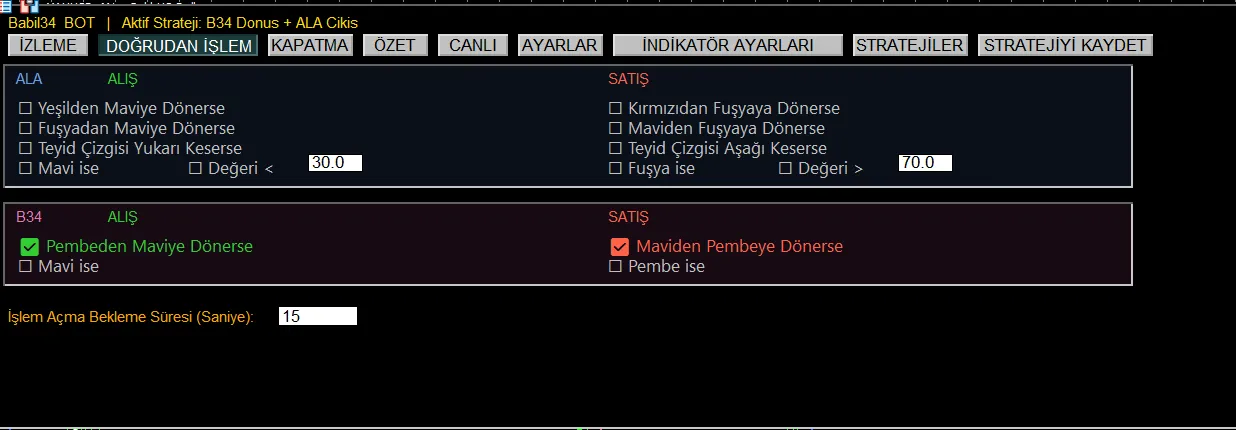
Software that executes ALA V2 and B34 signals automatically on MetaTrader 5. You set the entry, trigger and exit conditions; it does the executing.
The Setup condition prepares the ground, the Trigger opens the trade, the Exit closes it. Each layer is configured separately and works together with timeout and stopwatch controls.
ALA colour transitions (green to blue, red to fuchsia...), CONFIRM crossovers, level thresholds; for B34 the blue/pink turns and state conditions. Selected separately for buy, sell and exit.
Three modes: Tight, Medium and Wide. It follows the peak, moves the guaranteed floor up and shows the breathing room live. It has a confirmation delay against fake peaks caused by wicks.
Net Take Profit ($) and Net Stop Loss ($) - works on a net basis including commission. If you wish, it also passes the protective orders to the broker side.
Name and save the setup you built, then load it with a single click. The name of the active strategy is always visible on the panel.
Which condition triggered and why a trade was closed are logged. If indicator data is not arriving, the reason is written on the panel - it never leaves you in the dark.
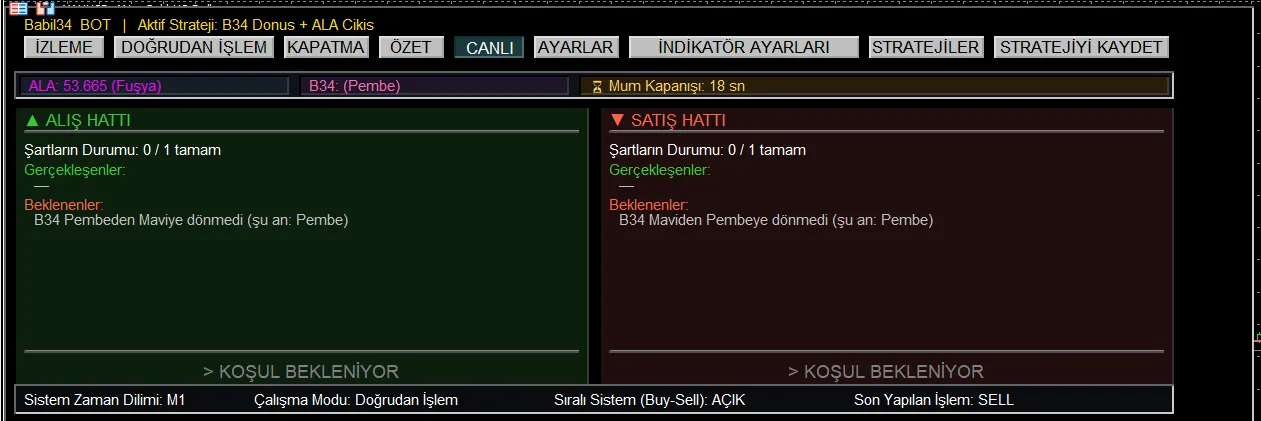
On the LIVE tab the status of the buy and sell lines is shown separately: which conditions have been met, which are still pending and how many seconds are left until the candle closes.
The line "B34 has not turned from Pink to Blue (currently: Pink)" on the screen states plainly why the software has not opened a trade. Most automation software does not show this; you only see that no trade was opened and never learn why.
The bottom strip also keeps the system timeframe, operating mode, sequential-trade status and the last trade permanently visible.
What is algorithmic trading (algo trading) and how does it work? The advantages and risks of automated trading with Expert Advisors (EAs) on MetaTrader 5 (MT5).
What are the main differences between MetaTrader 5 (MT5) and TradingView? A comparison of automated trading (EAs), indicators, data providers and typical use cases.
How does risk management work in technical analysis? A practical guide to position sizing, stop-loss placement, risk-reward ratio, leverage and demo testing.
Get in touch for pricing, licence term and setup. Your access is set up once payment is complete.